Can you use an old phone as a baby monitor?
So the phone’s age says little. What counts is its system version, its battery and how warm it gets, and each of those can be checked. We make NightEar, a free baby monitor app for iPhone and Android, so the requirements below are for that app. Another app may have different ones.
Which old phones can do it?
| Device | Works | Doesn’t work |
|---|---|---|
| iPhone | XR, XS, XS Max, 11 and newer, SE (2nd and 3rd generation) | iPhone X, 8 and older, which can’t get iOS 18 |
| iPad | iPad (7th generation and newer), iPad mini (5th and newer), iPad Air (3rd and newer), iPad Pro 11-inch (all), iPad Pro 12.9-inch (3rd and newer) | Older iPads, which can’t get iPadOS 18 |
| Android | Tested on Android 10 and later | We make no promises for older versions |
The iPhone and iPad models come from Apple’s own lists for iOS 18 and iPadOS 18. The iPhone XR and XS are no longer on Apple’s list for iOS 26, so they stay on iOS 18, which NightEar runs on.
Android 10 came out in September 2019. That only tells you so much, because not every phone from that time got the update. So check the phone itself:
- iPhone or iPad: Settings, General, About.
- Android: Settings, About phone. The exact place differs per brand.
We don’t have a list of tested Android models, and brands treat apps running overnight differently. So try it for an evening while you’re home first.
You don’t need a SIM card, because NightEar works over Wi-Fi. You do need the App Store or Google Play on the old phone to install the app, which means an Apple or Google account.
What does an old phone need for a whole night?
A charger, and somewhere for the cable
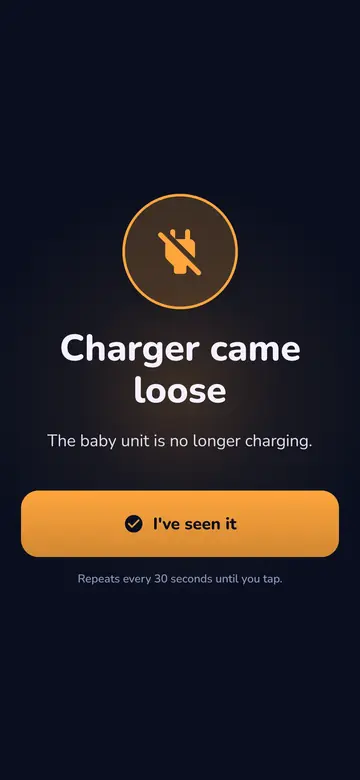
Keep the baby phone on the charger all night. While connected, the parent phone shows how full the battery is, and warns you if the charger comes loose and at 15 and 5 percent. Keep the cable out of your child’s reach.
A battery with some life left
On the charger you notice a worn battery less, but if the cable comes loose you have less time. On an iPhone you can see the battery’s condition under Settings, Battery. If the back bulges or the screen is lifting, the battery has swollen. Don’t use that phone in the baby’s room.
Air, so it doesn’t overheat
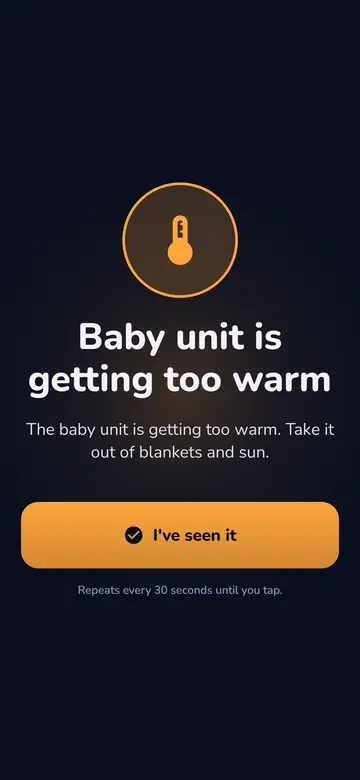
Put it on a hard, open surface, never under a blanket or between pillows, and leave it on the black night screen. If it still gets too warm, the parent phone warns you. The camera and crying recognition then stop, and listening carries on.
Flight mode with Wi-Fi on, and Do Not Disturb
A phone call, Siri or another app can take over the microphone. Flight mode with Wi-Fi on switches the mobile network off, and Do Not Disturb stops Wi-Fi calling from ringing. You switch both on yourself, because the app can’t do that for you. If something takes the microphone anyway, the parent phone sounds an alarm and you have to tap the baby phone to carry on listening.
A tidied-up phone
A phone that spent years in a drawer often still has things switched on. Go through this list:
- Alarms off. An old 6:30 alarm will go off in the baby’s room too.
- Automatic updates. An iPhone set to do this installs updates overnight while charging and on Wi-Fi, which is exactly how a baby phone lies. You get a warning first, but you won’t see it on a phone in the baby’s room. During that restart the parent phone sounds the Connection lost alarm. Turn automatic installing off under Settings, General, Software Update, and update the phone during the day. On Android the setting differs per brand.
- Notifications from other apps off. The baby phone should do as little as possible and make no sounds of its own.
- Old accounts out. Remove mail and banking apps you don’t need. The phone will lie unattended in a room, and that matters even more once it no longer gets updates.
On Android: let the app keep running
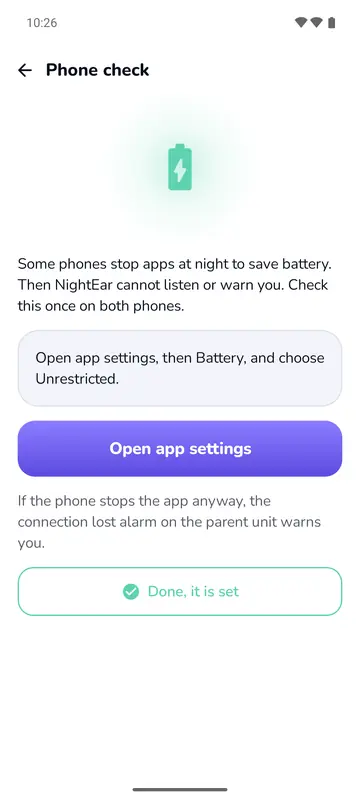
Some Android phones stop apps at night to save battery. So open the Phone check in NightEar once. It shows what to change on Samsung, Xiaomi, Huawei, Oppo and vivo, and gives a general route for other brands. The steps are also under the battery settings and the help for Android. If the phone stops the app anyway, the Connection lost alarm warns you on the parent phone.
Which phone does what?
Give the old phone the fixed spot in the baby’s room and keep your own with you. The old one only has to listen and charge, while yours has to go everywhere you go and be easy to hear. The other way round works too, as the app makes no difference between them.
Want to watch as well? The camera only runs while NightEar is open on the baby phone. In low light the back camera sees more than the front one, and you choose on the baby phone or with the camera icon on the parent phone. A picture costs extra power and heat, so it pauses after 3 minutes. The features page shows how Watch works.
Test it before you rely on it
An old phone has its own habits, so try it once during the day or in the evening, with the parent phone in another room:
- Pull out the charger. A warning should appear on the parent phone.
- Switch Wi-Fi off on the baby phone. The Connection lost alarm should sound after 10 seconds.
- Leave it for an hour and feel whether it gets warm.
If that works, everything else is the same as with a new phone. Pairing two phones is described step by step. If you’re wondering about a device that transmits all night, read what health agencies say about baby monitor radiation too.
Frequently asked questions
Can I use an old iPhone as a baby monitor?
Yes, if it can run iOS 18. That means the iPhone XR, XS and XS Max, the iPhone 11 and newer, and the SE (2nd and 3rd generation).
Do I need a SIM card in the old phone?
No. NightEar works over your Wi-Fi. Put the phone in flight mode with Wi-Fi on, and the mobile network is off anyway.
Can I use an old iPad?
Yes, if it can run iPadOS 18. Keep the cover open, because a closed cover can switch off the microphone.
Does the old phone need to stay on the charger all night?
Yes. Listening and sending go on all night. The parent phone warns you if the charger comes loose and when the battery is at 15 or 5 percent.
Sources
- Apple: iPhone models for iOS 18, user guide, undated
- Apple: iPad models for iPadOS 18, user guide, undated
- Apple: iPhone models for iOS 26, user guide, undated
- Apple: Update your iPhone or iPad, undated
- Google: Android 10 is here, 3 September 2019
NightEar is not a medical device and does not replace adult supervision.