Everything NightEar does, on the real screens.
NightEar is a baby monitor app with a camera, crying alerts and alarms, for two phones. This page lists every feature: what it does, on which phone and where its limit is. Prefer the story? Read the night.
The screens come from NightEar 1.1.0. Their clocks show when we captured them, and the names are examples. The Android app says baby unit and parent unit where we say baby phone and parent phone.
Setting up
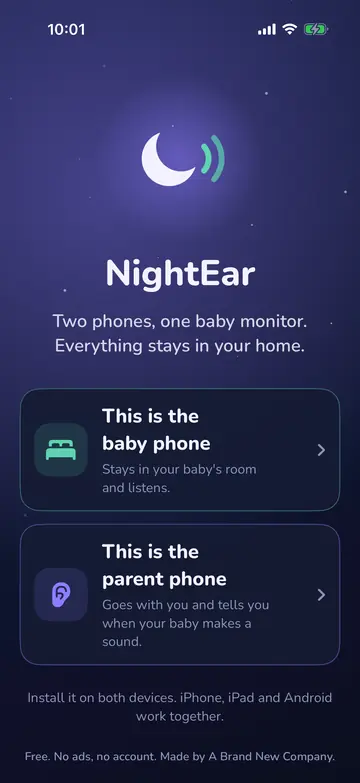
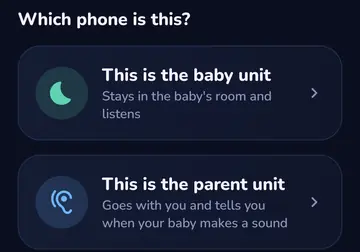
Two roles on your own phones
iPhone, iPad and Android
An old or spare phone becomes the baby phone, your own phone the parent phone. You choose on first start.
Good to know You need two devices. Android offers the role change only while it isn’t listening.
Permissions, with the reason first
iPhone, iPad and Android
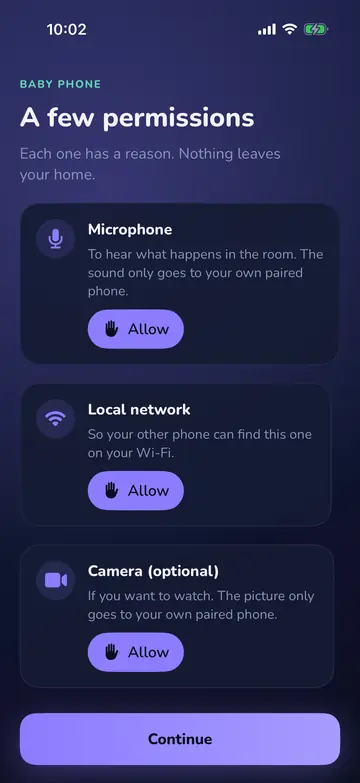
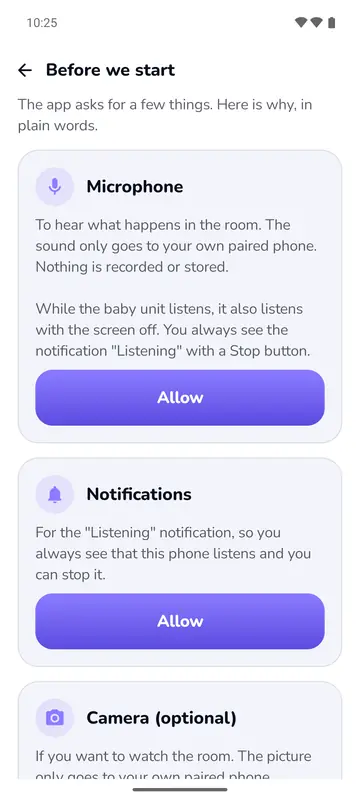
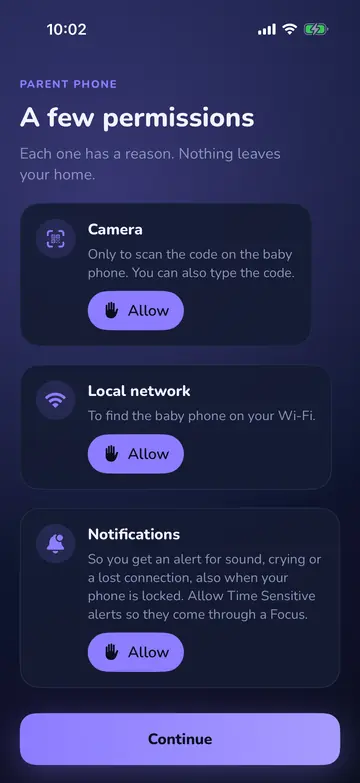
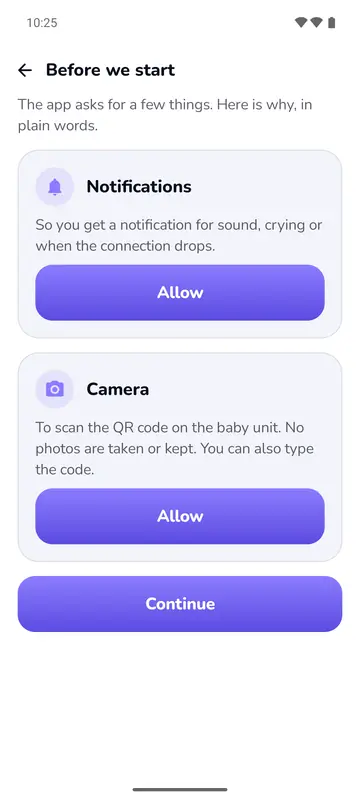
Each permission says in one line why the app wants it, before the phone asks. The microphone for Talk is only asked for when you first use Talk.
Good to know Without the microphone the baby phone can’t listen. Without the camera you type the code in place of scanning, and Watch isn’t available.
Pairing with a code
iPhone, iPad and Android
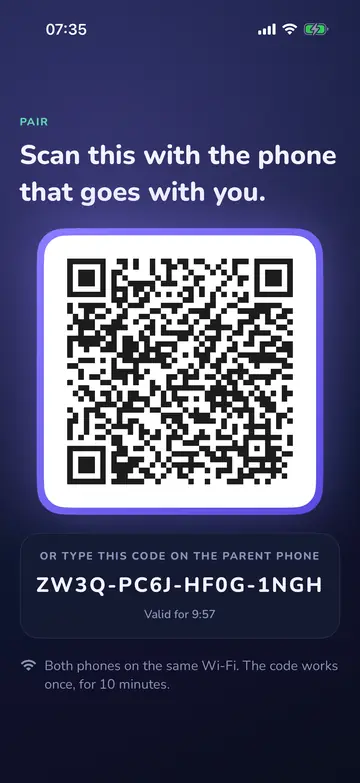
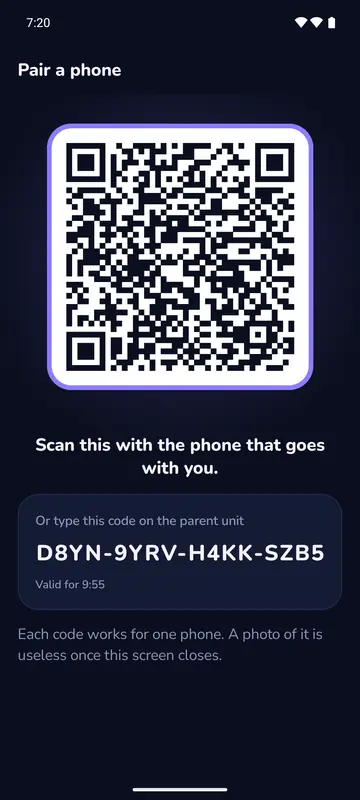
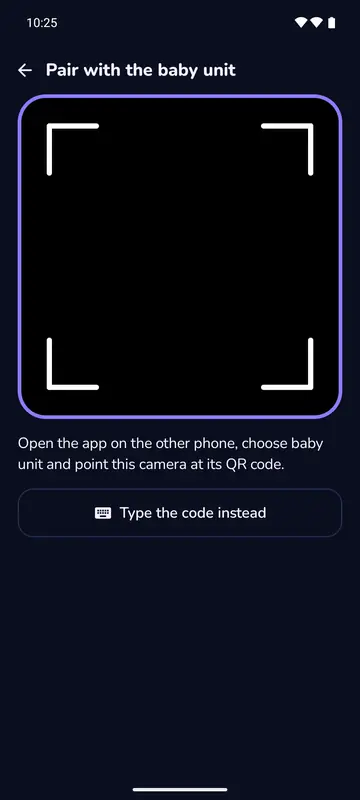
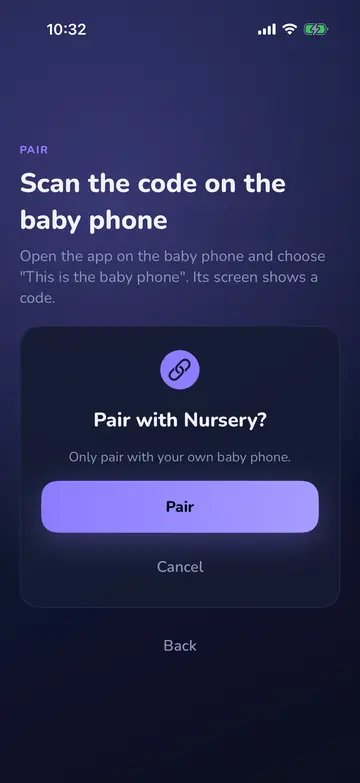
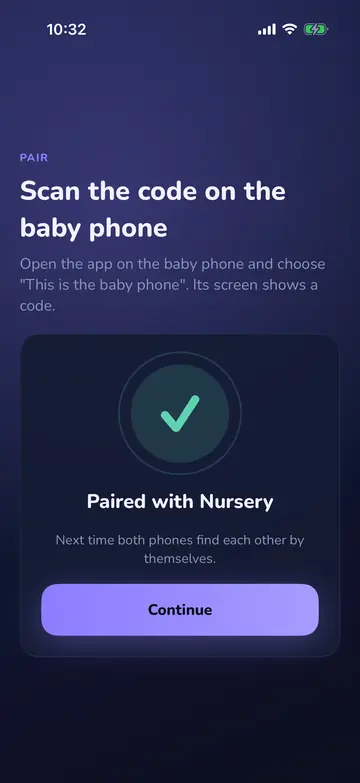
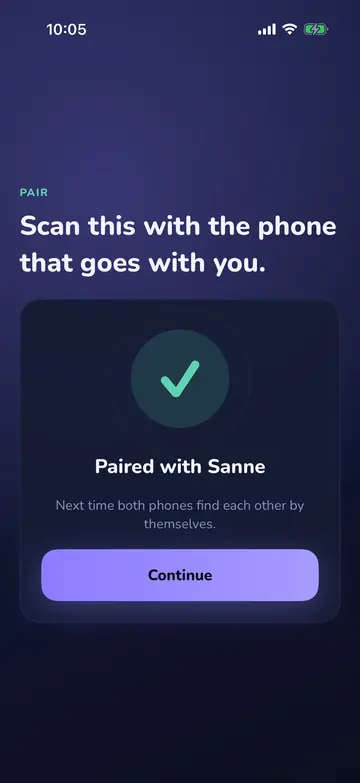
The baby phone shows a QR code and a code of 16 characters. Scan or type it, and when you type, the app corrects letters that look alike. After that the phones find each other. On iPhone the pairing link from the normal camera app works too.
Good to know Both phones on the same Wi-Fi. The code works for one phone, for 10 minutes.
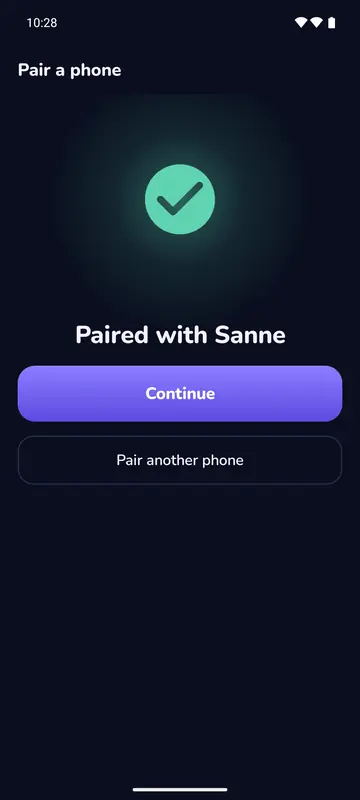
A name for each phone
iPhone, iPad and Android
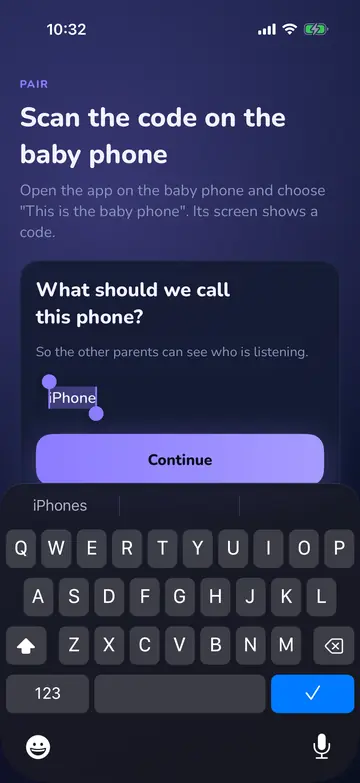
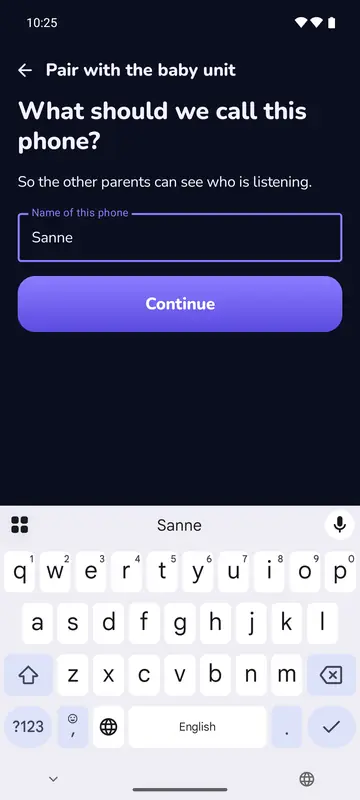
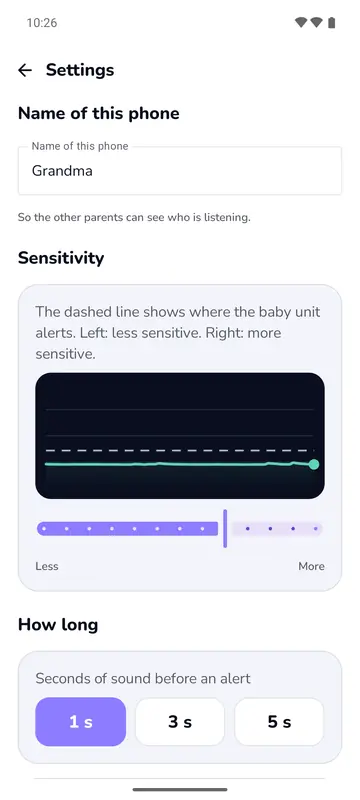
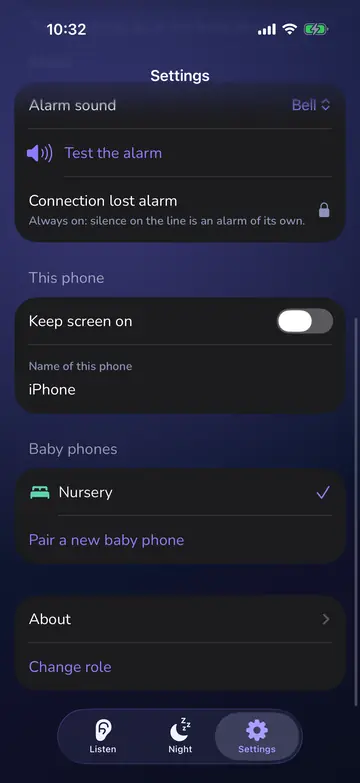
The parent phone gets a name, so the others see who is listening, watching or talking. The baby phone’s name is the room name shown on the parent phone.
Good to know At most 30 characters. It can wait.
More phones on one baby phone
iPhone, iPad and Android
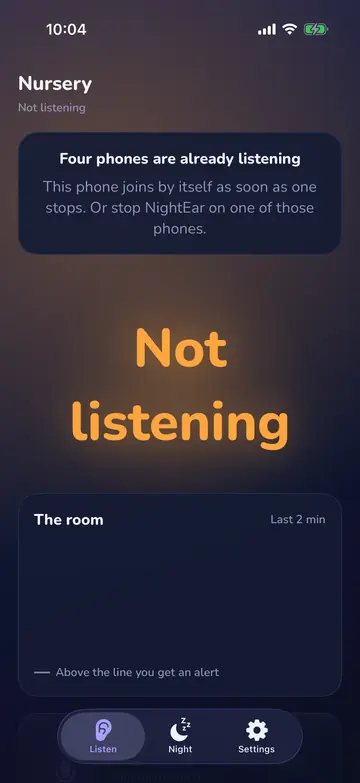
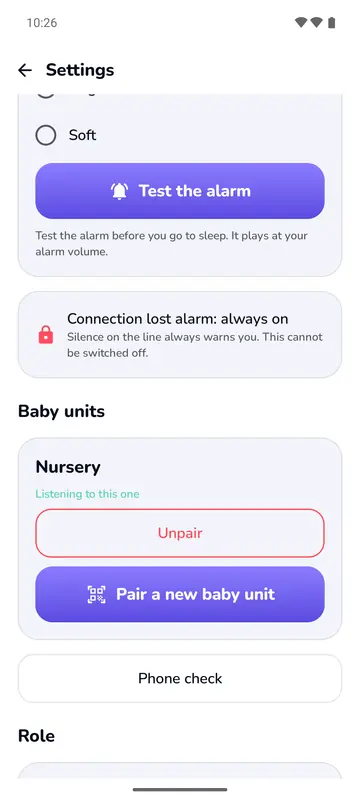
Up to four phones can listen to one baby phone. The other way round, you can pair a parent phone with several baby phones and switch between them.
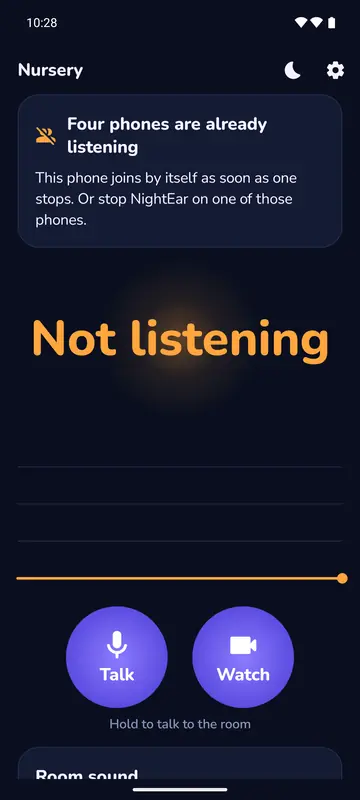
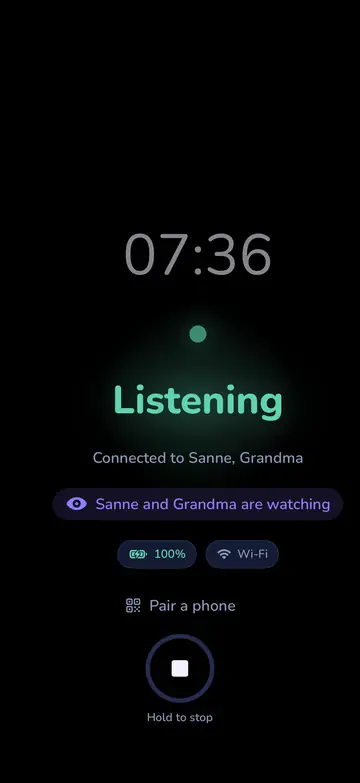
Good to know Four can listen and two can watch at the same time. A fifth is told so and joins by itself when one stops. A parent phone listens to one baby phone at a time. The lit night screen says who is connected, on iPhone the baby phone’s settings do too, per parent. On Android the parent phone shows how many phones are listening.
Add a parent during the night
iPhone, iPad and Android
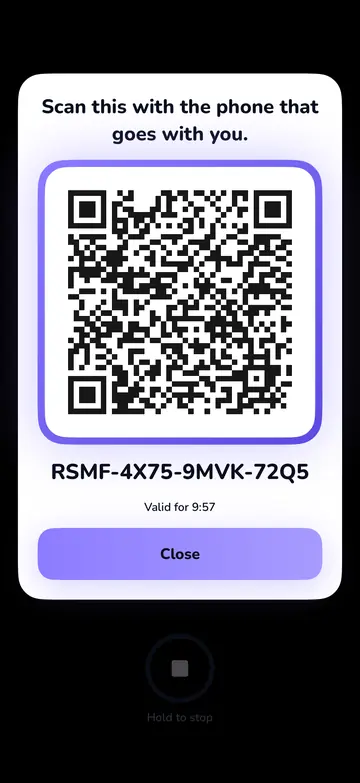
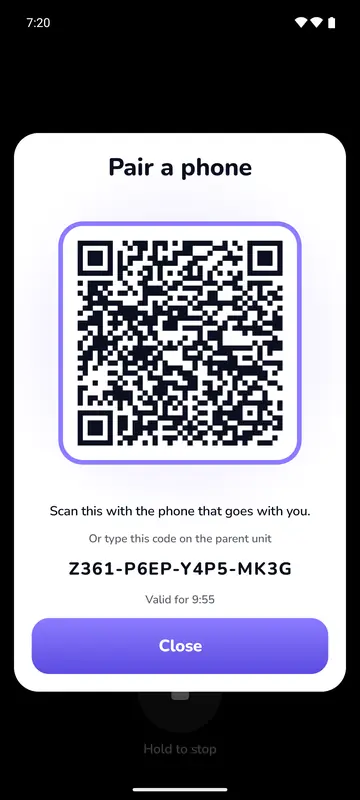
Tap Pair a phone on the lit night screen. A light card shows the code, and the others keep listening. The baby phone then says who has joined.
Good to know The button shows only while the night screen is lit.
A get-ready list
iPhone, iPad and Android
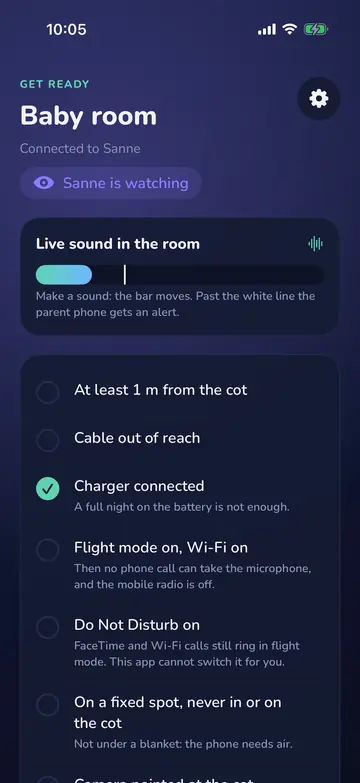
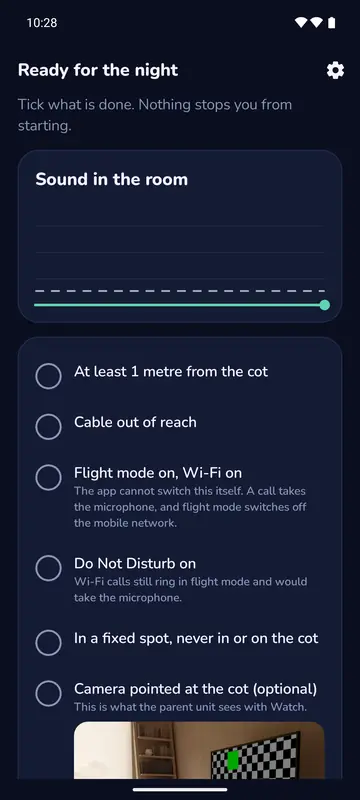
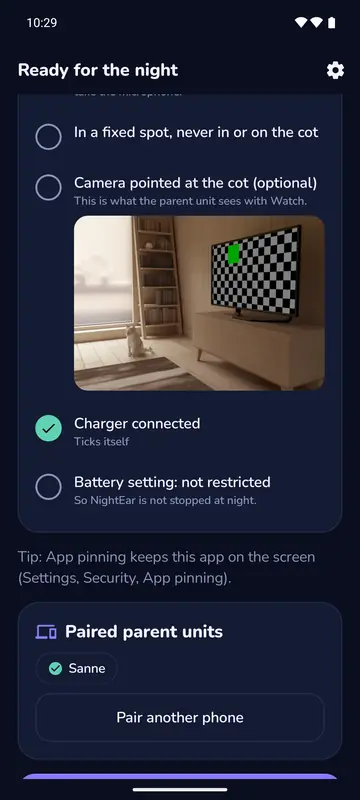
A short list with the room’s sound live next to it, so you can see the phone hears the room. The charger line ticks itself. With the camera on, a live preview shows what the parent phone will see.
Good to know Nothing stops you from starting. Flight mode and Do Not Disturb are yours to switch on.
Phone check
Android only
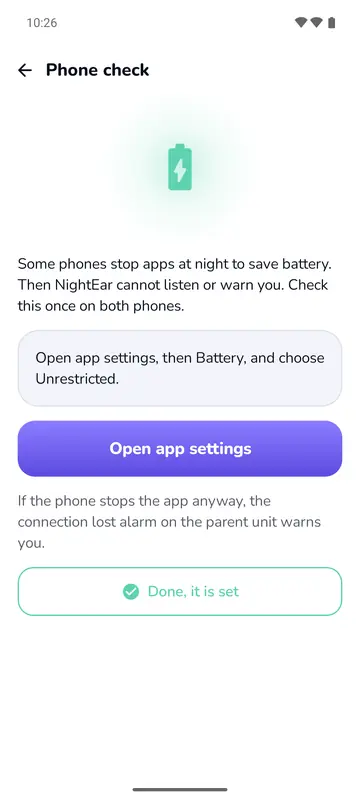
Some Android phones stop apps at night to save battery. The check shows what to change for your brand, with steps for Samsung, Xiaomi, Huawei, Oppo and Vivo and a general route for the rest.
Good to know You change the setting yourself. The app opens the right screen where it can.
Dutch and English
iPhone, iPad and Android
The app follows your phone’s language.
Good to know Only these two languages, and the app has no language setting of its own.
On iPad too
iPhone and iPad
The same app on an iPad with iPadOS 18 or later, as parent phone or baby phone.
Good to know The app doesn’t exclude Android tablets, but we haven’t tested them.
Listening
Night screen on the baby phone
iPhone, iPad and Android
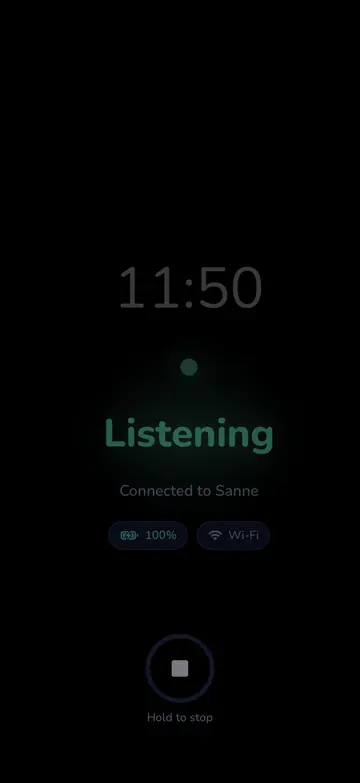
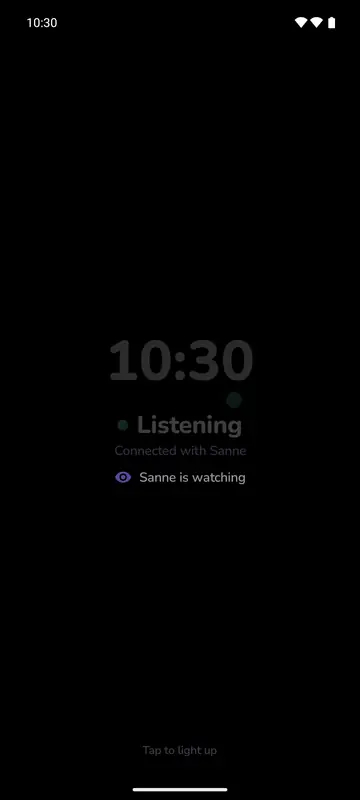
The screen dims to its lowest brightness, with a clock and a dot that shift a little every minute. The dot follows the room’s sound. Tap it and it lights up for 10 seconds.
Good to know To stop, hold: 1.5 seconds on iPhone, 2 on Android. While the pairing code is on screen, the brightness comes back so you can scan it.
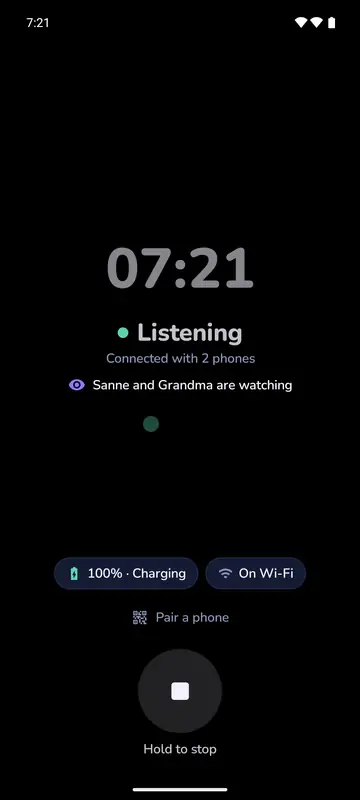
Listening goes on with the screen locked
iPhone, iPad and Android
On both sides you can lock the screen or use another app. Sound and alarms go on. On Android, each phone shows a permanent notification with a Stop button.
Good to know Watch doesn’t go on when the app on the baby phone is off screen. Some Android phones stop apps at night: run the Phone check.
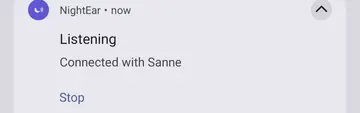
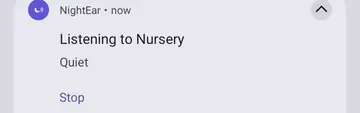
Parent phone: one word for how it is
iPhone, iPad and Android
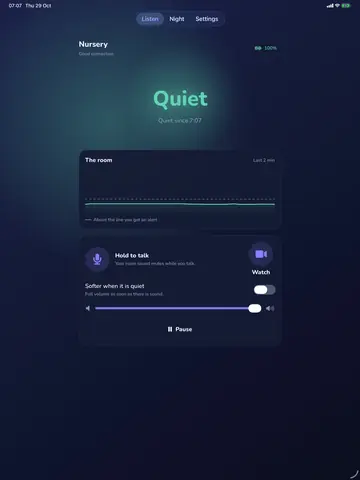
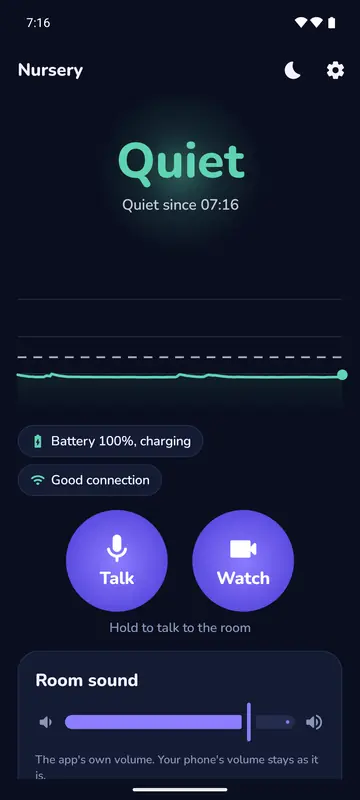
One big word: Quiet, Sound or Crying. Below it, since when it has been quiet, how good the connection is, the baby phone’s battery and a line with the room’s recent sound.
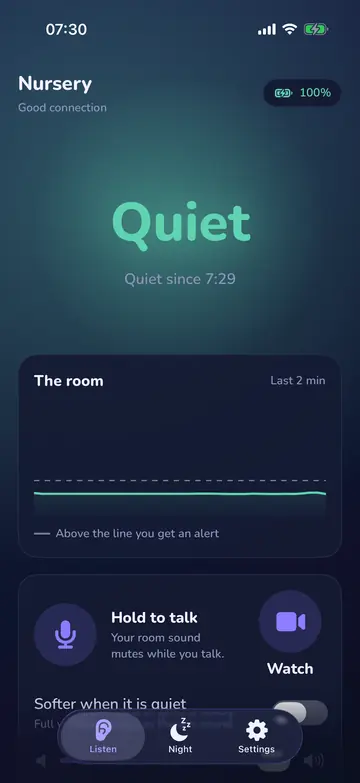
Hear the room, at your own volume
iPhone, iPad and Android
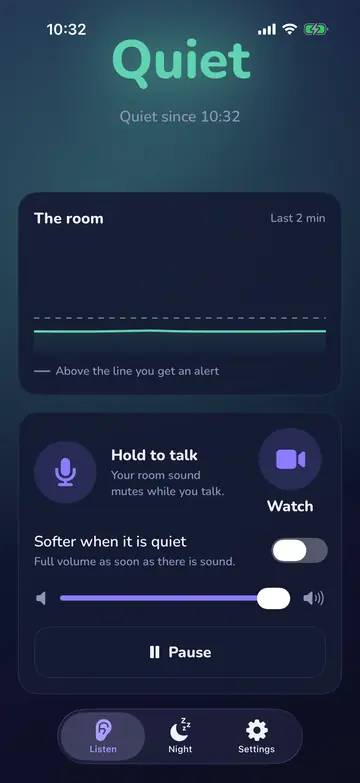
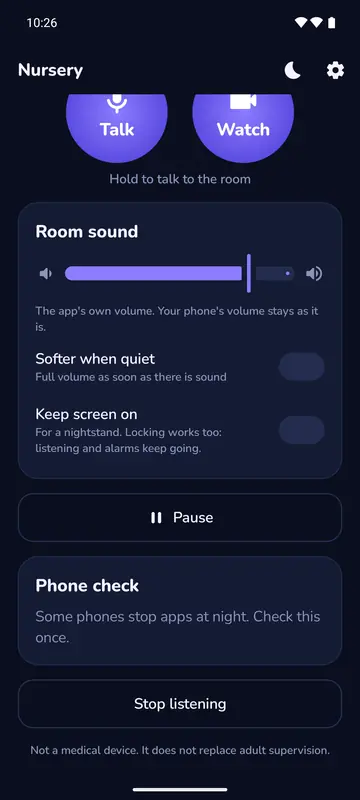
You hear the room live, with a volume slider for the app alone. You can keep it soft while it’s quiet and go to full volume as soon as there is sound. If your phone’s volume is too low, you get a warning.
Good to know Soft means 30 percent of the set volume. Android also warns about Do Not Disturb.
Earbuds in, next to your music
iPhone, iPad and Android
The room plays through wired or Bluetooth earbuds and mixes with a podcast or music. During an alarm iPhone turns the other app down. Android turns it down or pauses it, and speech apps pause.
Good to know On Android an alarm with earbuds in plays at your media volume. With the media volume at zero, it sounds on the speaker at the alarm volume.
Pause
iPhone, iPad and Android
A button on the parent phone that stops alerts for a while, for example when you’re in the baby’s room yourself.
Good to know During Pause you get no alerts at all, not even if the connection drops. On iPhone and iPad the room’s sound stops too, on Android it keeps playing.
When the phones hear each other
iPhone, iPad and Android
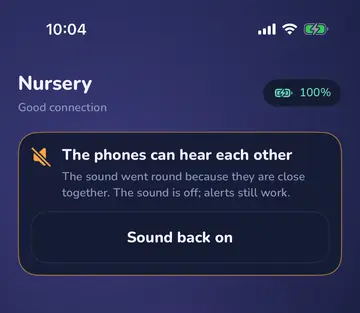
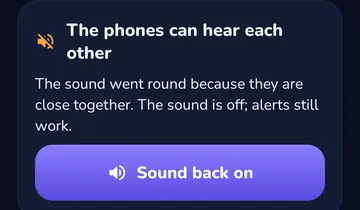
Phones close together start whistling. The app hears it, turns the sound off and tells you why. Alarms keep working.
Good to know One tap turns the sound back on. If they still hear each other, on iPhone and iPad it goes off again after 3 seconds, on Android the next time the app hears it start.
Alarms
Alarm when there is sound
iPhone, iPad and Android
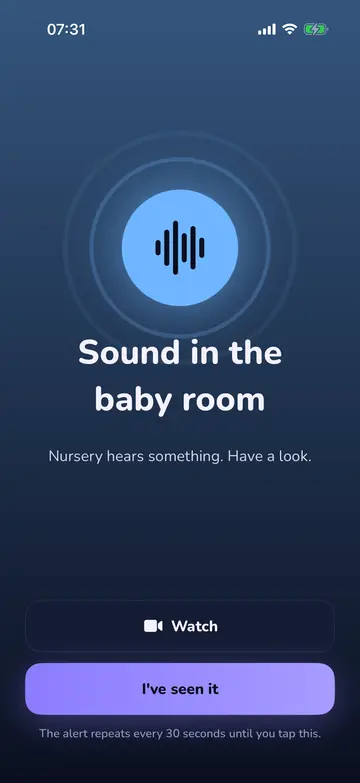
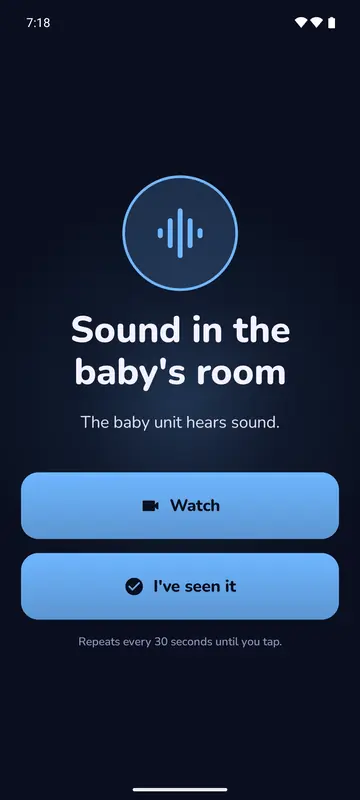
A full-screen alarm with sound when the room gets louder than normal. The baby phone learns how the room sounds, so a fan that keeps running stops counting after 15 seconds.
Good to know It repeats every 30 seconds until you tap it. While a parent talks through Talk, sounds aren’t reported.
Crying alert
iPhone, iPad and Android
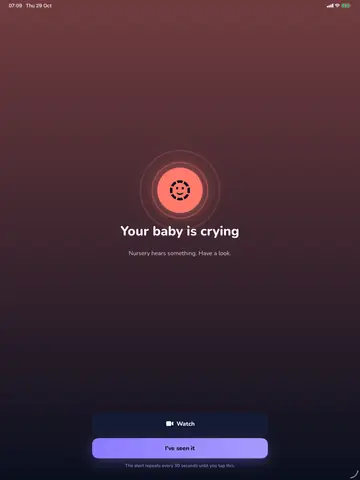
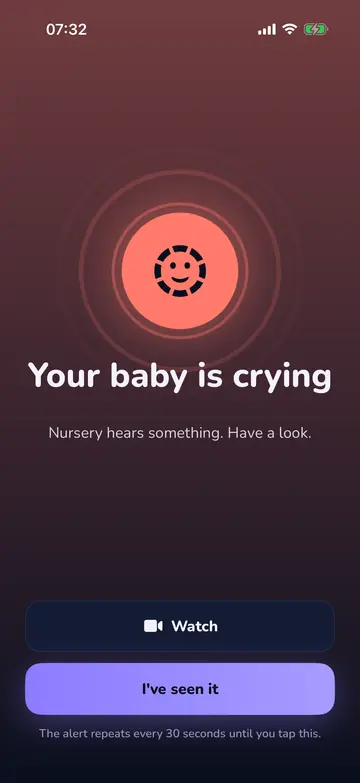
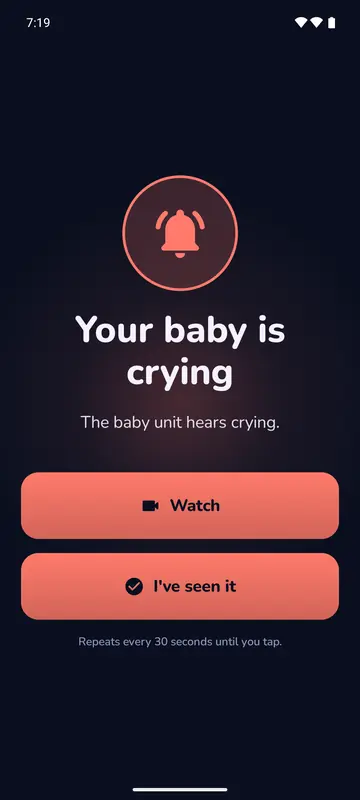
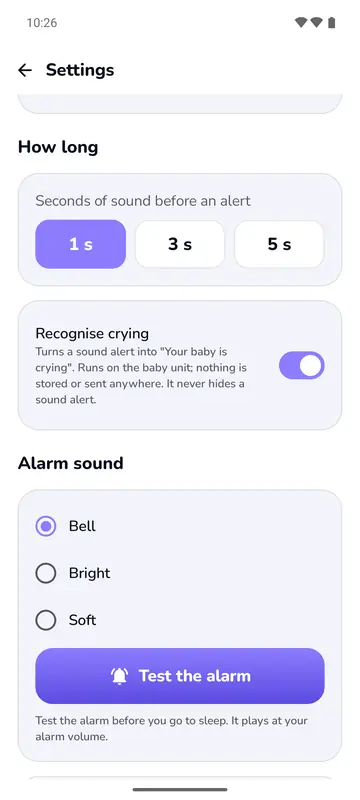
When the phone recognises crying, the alarm says Your baby is crying in place of Sound. The baby phone recognises it by itself.
Good to know The word only names an alarm that was already coming. Sound without that word still sets off the alarm. The app won’t recognise every cry, rests when the phone is too warm and can be switched off.
Alarm when the connection drops
iPhone, iPad and Android
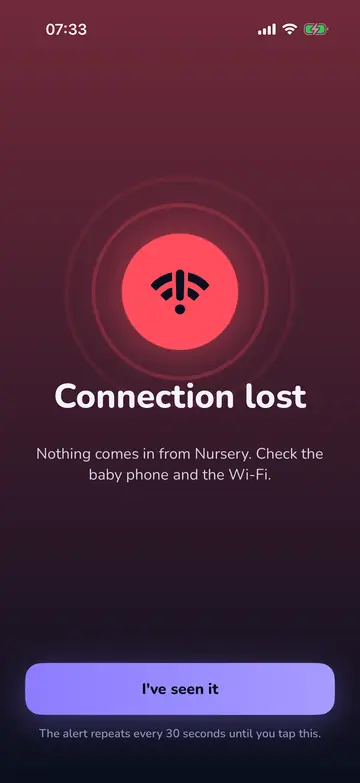
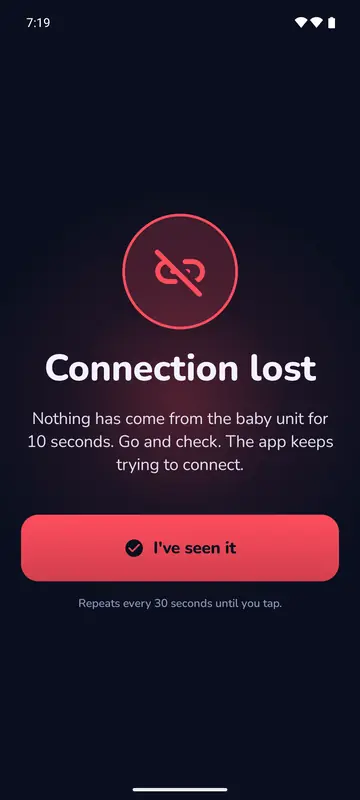
After 3 seconds without a signal the screen says Silence on the line. After 10 seconds a loud alarm goes off, also with your screen locked, and the app keeps trying to connect.
Good to know You can’t switch this alarm off. It doesn’t come during Pause or after a planned stop on the baby phone.
Alarm when the microphone stops
iPhone, iPad and Android
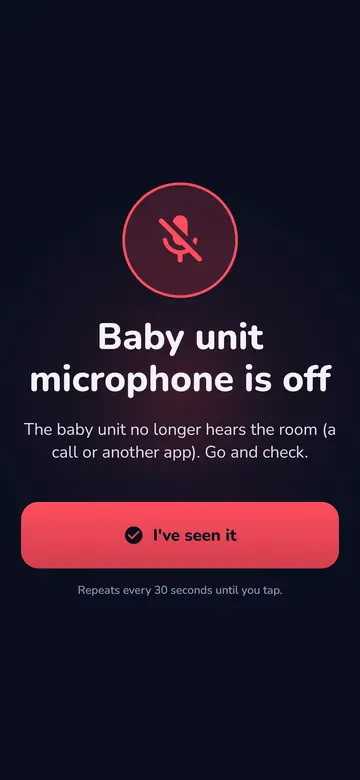
A call, Siri, a closed cover or another app can take the microphone. The parent phone gets a loud alarm and the baby phone asks for a tap. Android also notices when the phone hands over only silence.
Good to know The baby phone only listens again after that tap. Flight mode with Wi-Fi on and Do Not Disturb prevent most of it.
Charger, battery and heat
iPhone, iPad and Android
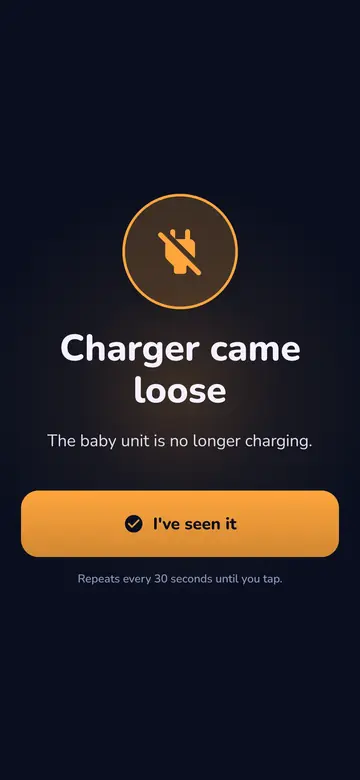
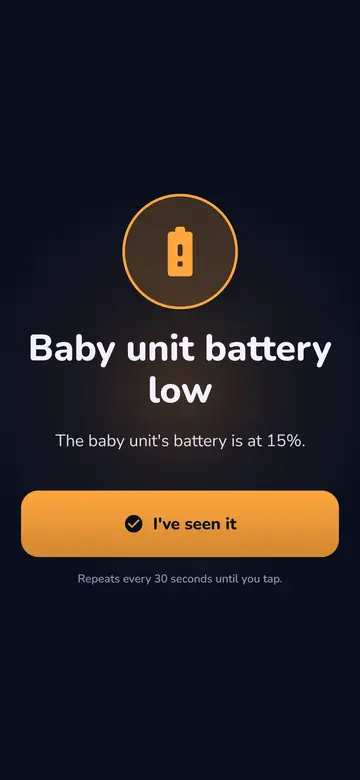
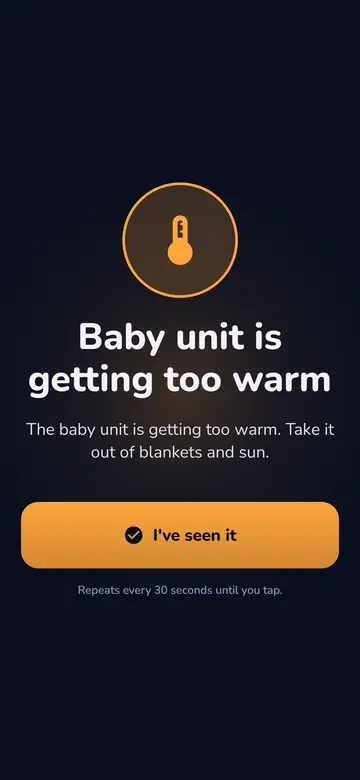
A warning when the charger comes loose, when the battery is at 15 and at 5 percent without a charger, and when the phone gets too warm.
Good to know When it’s too warm, the camera and the crying recognition stop, and the listening goes on.
Your own alarm settings
iPhone, iPad and Android
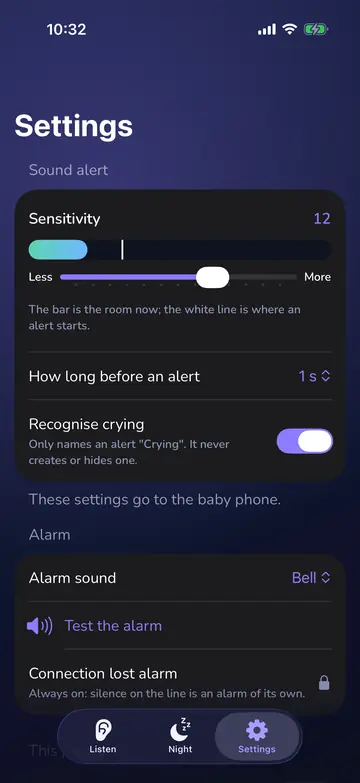
A sensitivity slider next to the live sound, how long a sound must last, crying recognition on or off, a choice of alarm sound and a test button. The settings go to the baby phone by themselves.
Good to know How long: 1, 3 or 5 seconds. iPhone has 2 alarm sounds, Android 3. The test plays the alarm on the parent phone.
When something goes wrong
The baby phone hasn’t started yet
iPhone, iPad and Android
Being connected doesn’t mean listening yet. Until you tap Start listening on the baby phone it sends nothing, and the parent phone says Baby phone not started yet. On iPhone it adds: Connected. Tap "Start listening" on the baby phone.
Good to know On an Android parent phone you first tap Listen to and the room’s name yourself.
A backup notification if the app gets stopped
iPhone, iPad and Android
If your phone stops the app on the parent phone, you get a notification. On iPhone: NightEar stopped listening. Open it to check the baby phone. On Android: The app stopped listening. Open it to connect again.
Good to know Only with notifications allowed for NightEar, and not during Pause.
Sound while you were away
iPhone, iPad and Android
If the connection was gone for a while and there was sound or crying in that time, you still get an alarm for it as soon as the connection is back, even if the sound has already ended.
Good to know Within the same night only. The baby phone remembers that there was sound, not the sound itself.
No room left on the baby phone
iPhone, iPad and Android
If your phone listened tonight and can’t get back in because four others are listening, an alarm sounds with Four phones are already listening. It joins by itself as soon as one stops.
Good to know A phone that hasn’t listened tonight gets no alarm for this.
Stopped or unpaired from the baby phone
iPhone, iPad and Android
If someone stops the baby phone, the parent phone says The baby phone stopped listening. If your phone was unpaired, it says The baby phone unpaired this phone. On iPhone you then tap Connect again or Pair again. On Android you tap Listen to with the room’s name, or scan the code again.
Good to know This is a planned stop, so no Connection lost alarm sounds.
Watch: a live picture from the camera
A live picture of the room
iPhone, iPad and Android
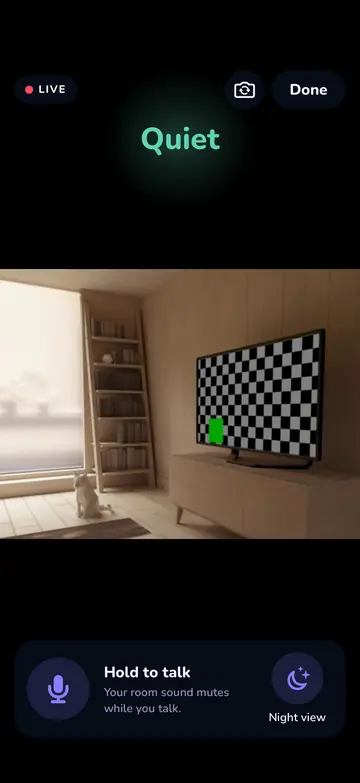
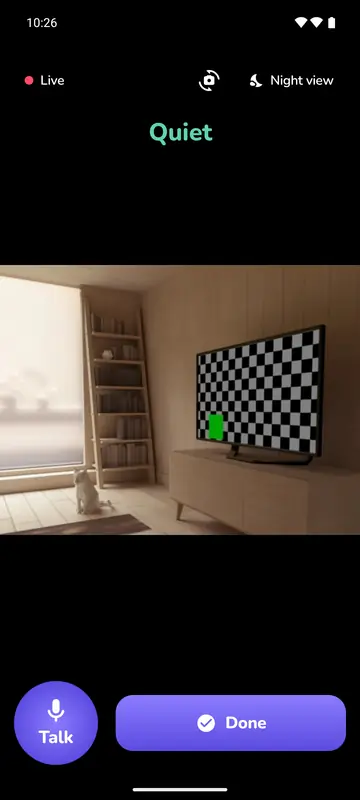
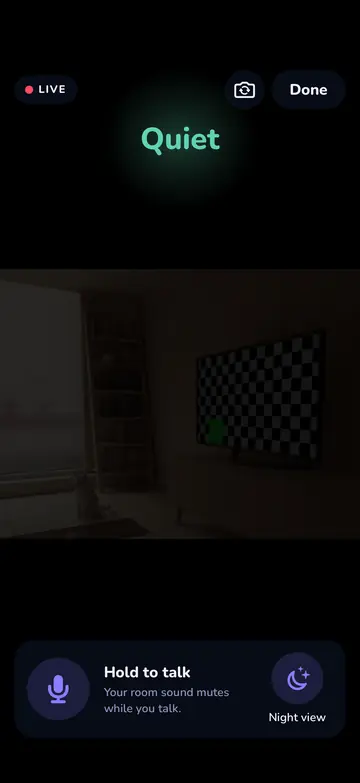
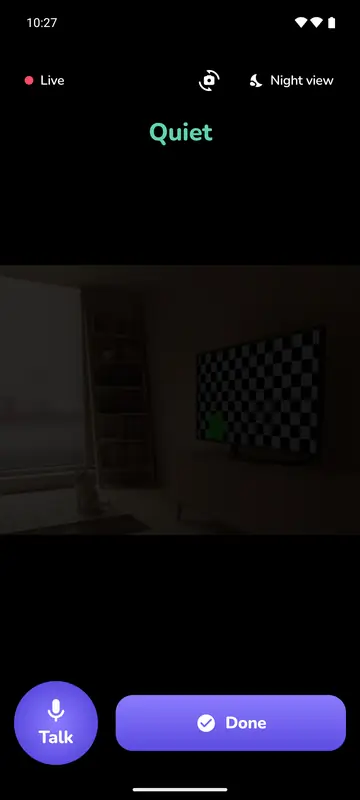
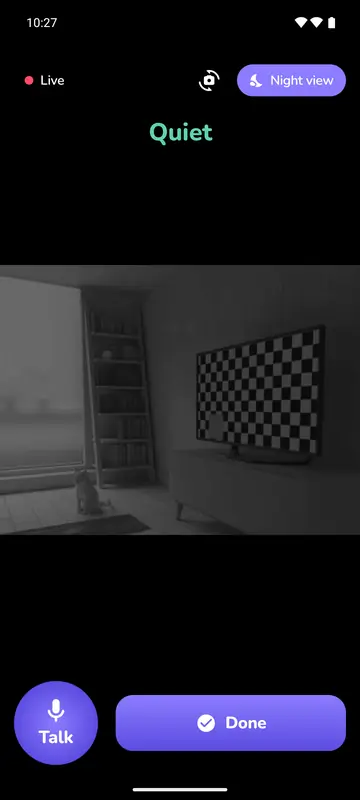
Tap Watch and you see the room live, about 6 pictures per second, with the sound word on top. The baby phone always shows who is watching.
Good to know It’s there for a quick look. Nothing is recorded or saved.
Front or back camera, also from the parent phone
iPhone, iPad and Android
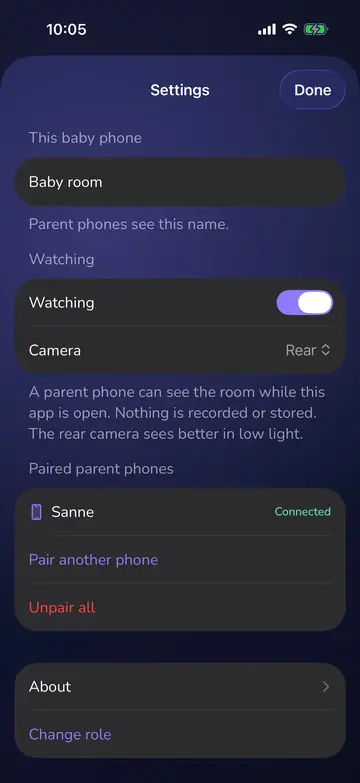
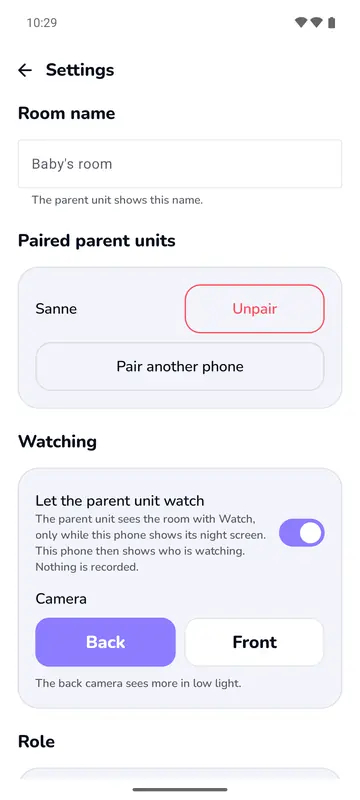
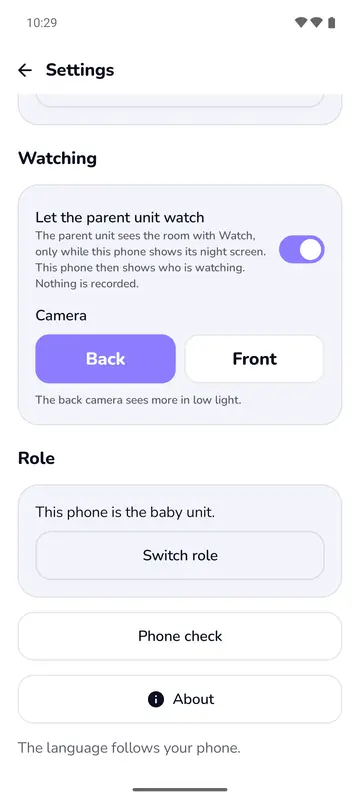
Choose the camera in Settings on the baby phone, or tap the camera icon on the parent phone while watching. Then you don’t have to walk in.
Good to know The back camera sees more in low light. Switching takes a moment. A phone without that lens stays on the lens it has.
Night view
iPhone, iPad and Android
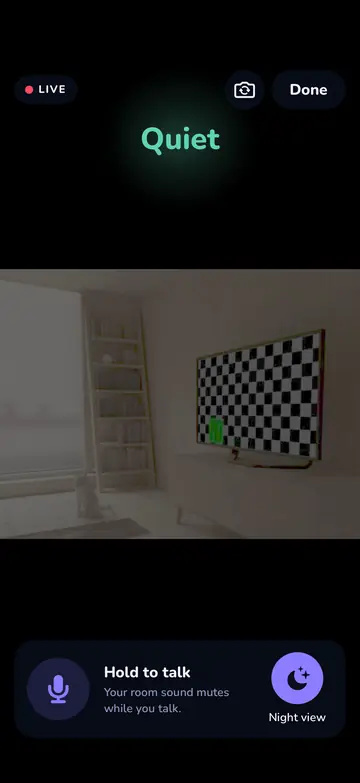
Tap Night view and the dark picture brightens on your own screen. The app remembers your choice. On iPhone the camera also uses its low-light boost, where it has one.
Good to know There’s no infrared and no lamp, and nothing changes in the baby’s room. In a fully dark room there is still nothing to see.
From alarm straight to Watch
iPhone, iPad and Android
The alarm for sound or crying has a Watch button. If a new alarm comes in while you watch, it shows as a bar over the picture.
Good to know If the connection or the microphone goes, there’s nothing to see. Watch closes and you get the full alarm.
The limits of Watch, and what the screen then says
iPhone, iPad and Android
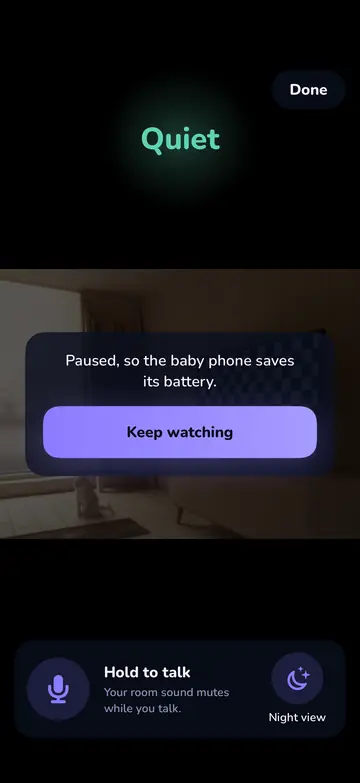
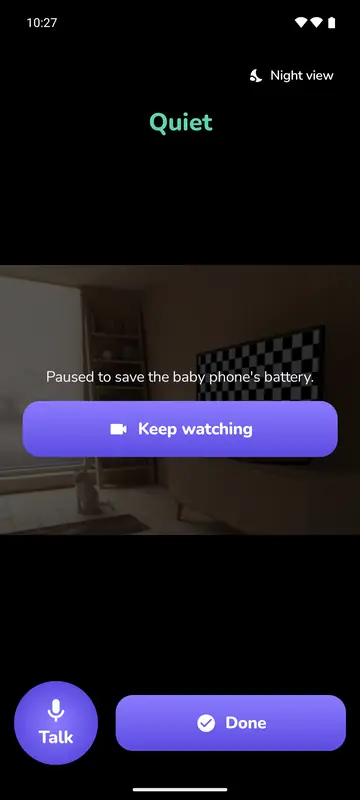
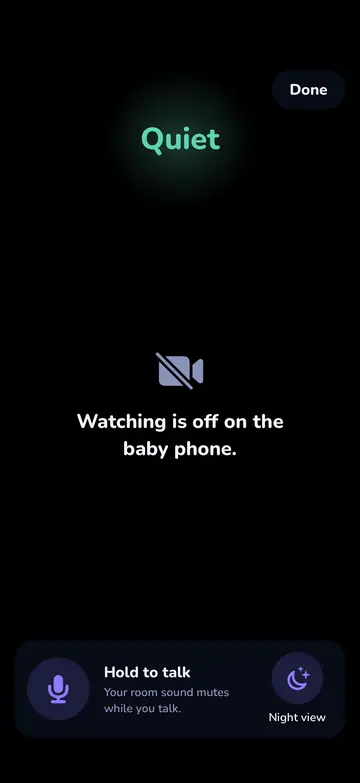
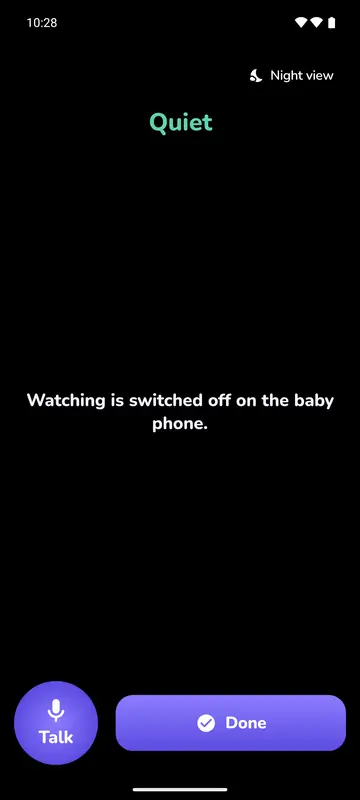
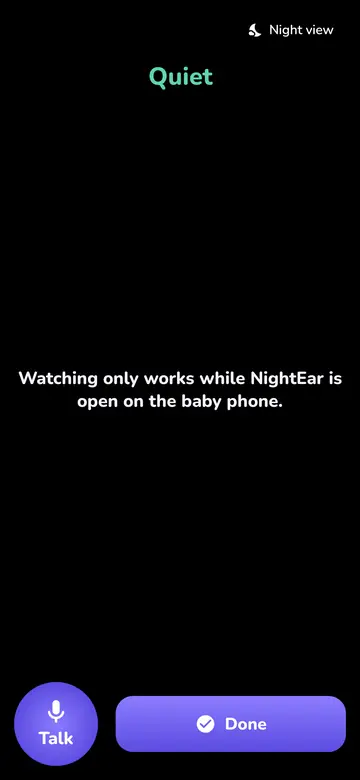
When there can’t be a picture, you get a plain sentence in place of a black square.
Good to know If the Wi-Fi is too slow, the picture says: "The Wi-Fi is too slow for a smooth picture. Sound comes first."
Talk
Talk back to the room
iPhone, iPad and Android
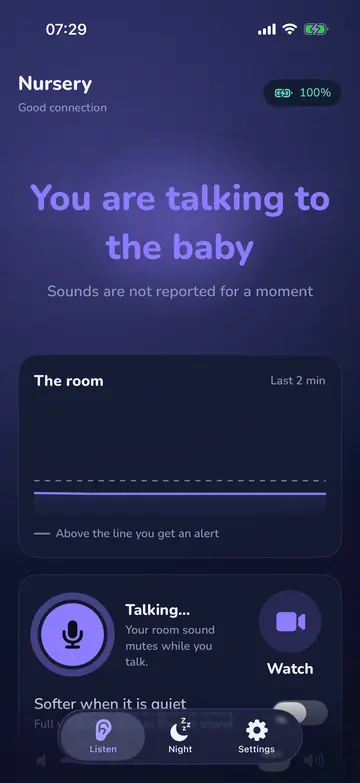
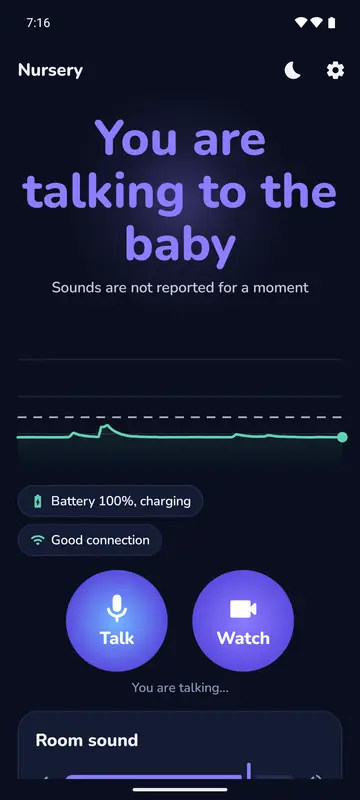
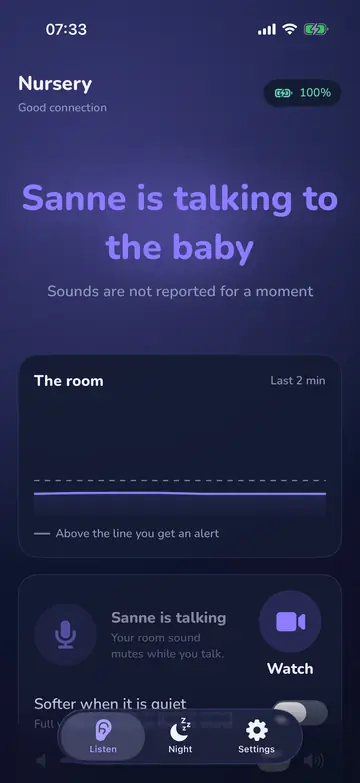
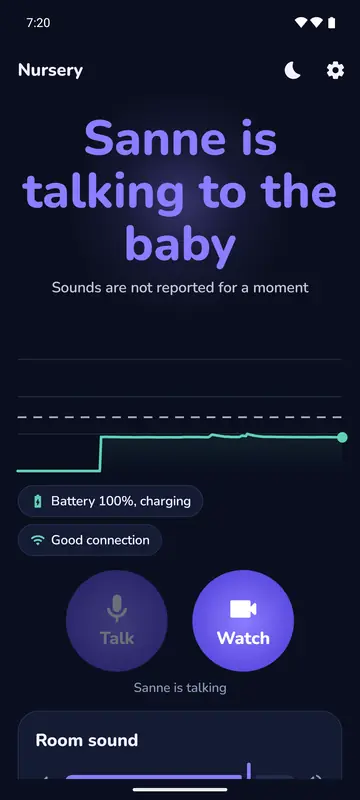
Hold Talk and your voice plays through the baby phone’s speaker. On your phone the room’s sound is muted while you talk, and just after. The others see who is talking. It works from the Watch picture too.
Good to know Only while you hold it, one parent at a time, at most 2 minutes per press. Sounds aren’t reported meanwhile. If another parent is talking you see who, and if you keep holding you take over when they stop. On iPhone Talk ends when your phone locks. Nobody can talk back from the baby’s room.
The morning after
Night log
iPhone, iPad and Android
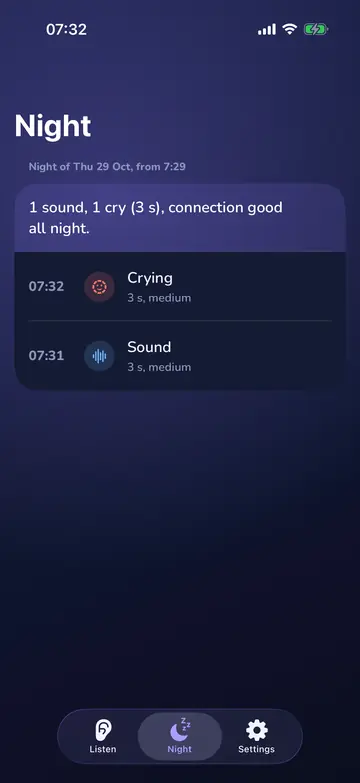
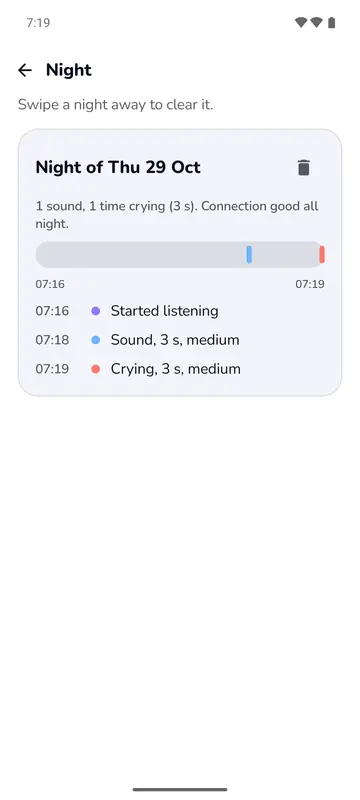
When there was sound, how long and how loud, and when something went wrong with the connection, microphone, charger, battery or heat. Android also draws a strip of the night.
Good to know 14 days, on the parent phone only. It holds times, never sound. A night can be wiped.
Morning summary
iPhone, iPad and Android
In the morning a short card on the parent phone sums up the night, on iPhone for example: sound once, crying once (3 s), connection good all night. One tap closes it.
Privacy and safe use
Stays in your home
iPhone, iPad and Android
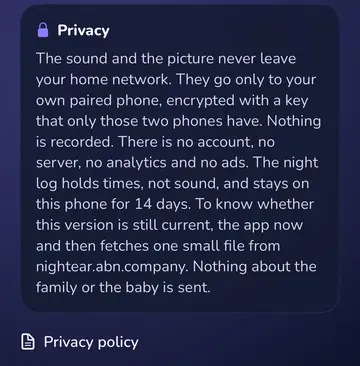
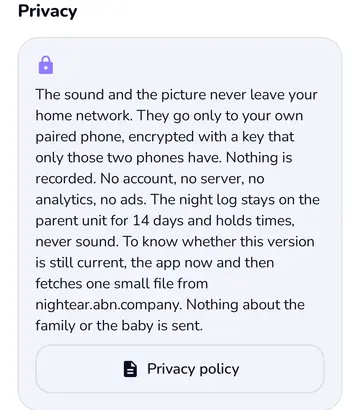
Sound and picture go only from the baby phone to your own paired phones, over your own Wi-Fi, encrypted with a key only those phones have. Nothing is recorded, and the app has no analytics and no ads.
Good to know That’s why it only works on the same Wi-Fi. The apps now and then fetch one small version file from nightear.abn.company, our earlier web address; nothing about your family goes with it. If your version is too old, the screen says Update NightEar, on iPhone and iPad with "This version of NightEar no longer works. Get the new version from the App Store. Your paired phones and settings stay as they are.", on Android with "This version of NightEar is too old. Get the new version from Google Play to keep using it."
Safe use
iPhone, iPad and Android
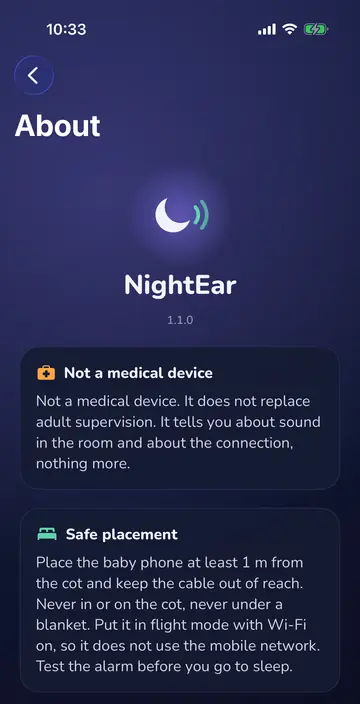
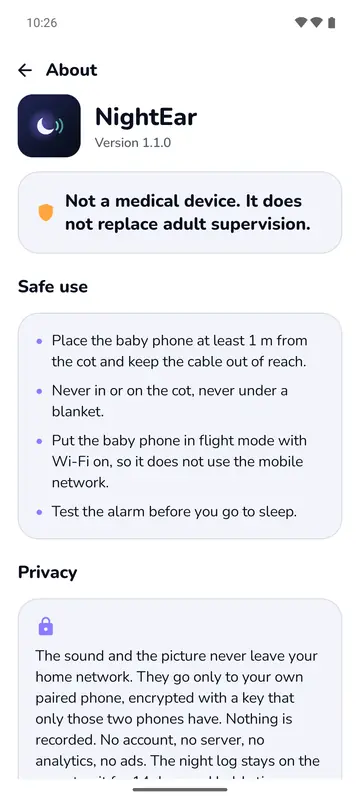
Place the baby phone at least 1 metre from the cot (crib), never in or on the cot and never under a blanket. Test the alarm before you go to sleep.
Good to know NightEar is not a medical device and does not replace adult supervision.
Where iPhone and Android differ
Watch, Talk, pairing and the alarms are on both and work across them. These are the differences.
| What | iPhone and iPad | Android |
|---|---|---|
| Alarm with your phone locked | Sound and a Time Sensitive notification | Sound and a notification |
| Pause | No sound and no alerts | No alerts, room sound keeps playing |
| Your other app during an alarm | Turns down | Turns down or pauses; speech apps pause |
| Charger, battery and heat warnings | Alarm sound plus a banner on the home screen | Alarm sound plus an alarm screen with I’ve seen it |
| Alarm sounds | Bell, Bells | Bell, Bright, Soft |
| Listening in the background | Runs in the background | With a permanent notification and a Stop button |
| Keep screen on | In Settings | On the home screen |
| Keeping the app on screen | Tip: Guided Access | Tip: App pinning |
| Phone check per brand | Not in the app | Samsung, Xiaomi, Huawei, Oppo, Vivo and a general route |
| When the microphone alarm comes | With a call, Siri, a closed cover or another app | Also when the phone hands over only silence, for example because of the switch in quick settings |
| Pairing link from the camera app | Yes, the app asks first | Scan in the app or type the code |
| Night log | List of times | List of times and a strip of the night |
| Tablets | iPad with iPadOS 18 or later | Not excluded, not tested |
Rather have sound only?
You can. The camera on the baby phone is optional. Skip that permission or switch watching off on the baby phone. Listening and alarms then work as usual.
Questions about the features
How does Watch work?
Tap Watch on the parent phone and the baby phone sends a live picture, about 6 pictures per second, over your own Wi-Fi. That works as long as NightEar is open on the baby phone. After 3 minutes it pauses to save the battery, and one tap goes on. Nothing is saved.
Can I see in the dark?
A little. Night view brightens a dark picture on your own screen, and the back camera sees more in low light. There’s no infrared, so in a fully dark room you see nothing. Listening and alarms still work.
How many phones can listen?
Up to four phones can listen to one baby phone, and two can watch at the same time. A fifth is told so and joins by itself when one stops.
How does the app know my baby is crying?
The baby phone listens for whether the sound is like crying. That happens on the phone itself, and nothing goes to the internet. It’s a name on an alarm that was already coming. The app won’t recognise every cry, and sound without that word still sets off the alarm.
Can I listen with earbuds?
Yes, wired or over Bluetooth, and it mixes with your music or podcast. During an alarm the other app turns down or pauses, depending on your phone.
See how it works on your own phones?
NightEar is free on the App Store and Google Play.