Is a video call a good baby monitor?
FaceTime and WhatsApp are good apps for calling, and if you have no other monitor to hand they make a fine stopgap. This article shows where they work, what to watch for and when an app built for the job is the better fit.
When does a call work well as a baby monitor?
A call works well when it is short and you stay close by. Think of a nap at the grandparents' house, or an hour’s sleep somewhere you have no monitor with you. There is nothing to install if the app is already on your phone, and you see and hear what is going on straight away.
A call can also do something NightEar can’t: it works away from your own Wi-Fi. Apple says FaceTime runs over Wi-Fi or cellular, and WhatsApp calls use your phone’s internet connection. Bear in mind that the Swiss health office warns about monitor setups over the cloud or a mobile network, because they let you go too far from your child. You should be able to get back quickly.
What gets in the way over a whole night?
Calls are made for two people talking. Over a night, you run into a few things:
- The line depends on your internet. Apple lists choppy video and dropped calls as results of a slow connection, and asks for a fast connection on both ends.
- A second call can interrupt. Accept an incoming call during a FaceTime call and the current one ends. Only when both are FaceTime audio calls can the first go on hold. A phone in the baby’s room can also simply ring if someone calls it.
- No separate alarm. If the line drops while you sleep, no alarm repeats until you see it. The silence you then hear sounds just like a calm room.
- No alert for sound. In a call you hear the room at one volume, all the time. No alarm wakes you when the sound gets louder.
- Battery. Two phones on a video call all night both need a charger.
How does a baby monitor app differ from a call?
| Video call | NightEar | |
|---|---|---|
| Connection | Over the internet, on Wi-Fi or mobile data | Directly over your own Wi-Fi, not over the internet |
| Away from home | Works | Does not work |
| Line drops | No separate alarm | Silence on the line after 3 seconds, a loud alarm after 10 seconds |
| Sound in the room | You hear it all at one volume | Alarm when the room gets louder than normal |
| Crying | You hear it yourself | The alarm says Your baby is crying when the phone recognises it |
| Picture | Runs as long as your camera is on | Only when you tap Watch, with the app open on the baby phone |
| Another call on the baby phone | Can ring in the room | Can ring too and take the microphone, and then the parent phone sounds an alarm |
| Account | You use your own account | No account |
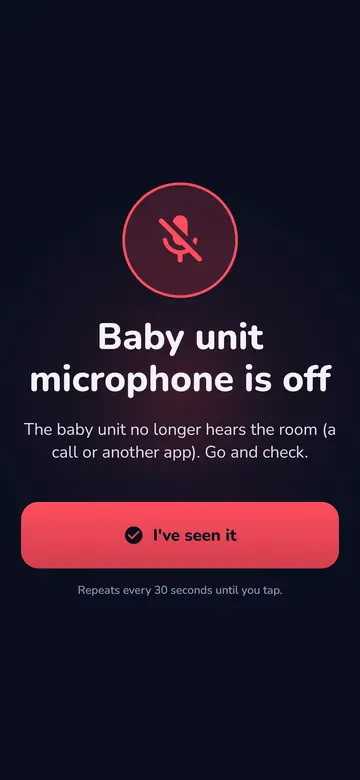
That row on another call needs explaining. With NightEar too, a call on the baby phone can come through and take the microphone. The difference is that the parent phone then sounds a loud alarm, and the baby phone asks for a tap to go on listening. Flight mode with Wi-Fi on and Do Not Disturb prevent most of it. They are on the app’s Get ready list for that reason, as FaceTime and Wi-Fi calls can still ring in flight mode.
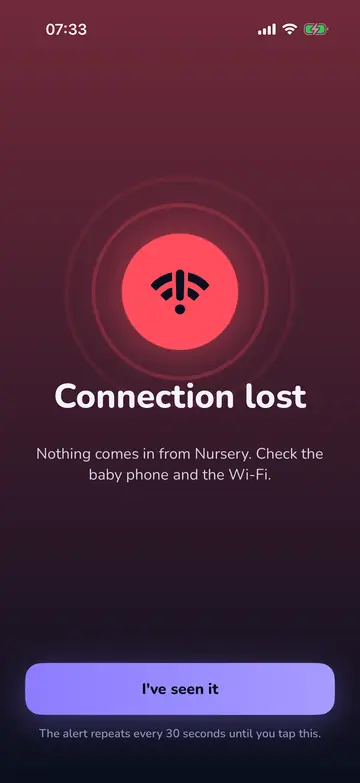
If the connection drops, you see this, also with your screen locked. Both phones then try to connect again by themselves. The details are in help with the connection.
NightEar has limits too. Both phones must be on the same Wi-Fi network, and it does not work without Wi-Fi. See baby monitor app without Wi-Fi. All of NightEar’s features has the rest. The baby monitor app for iPhone and Android is free and asks for no account.
Going to use a call anyway? Do this
- Place the phone at least 1 metre from the cot (crib). Never in or on the cot, with the cable out of reach.
- Put both phones on a charger. That includes the one next to you.
- Test the volume. Have someone in the room talk softly, and check you can hear it from where you sit.
- Use a phone nobody calls for the room. If you only have one spare, switch on Do Not Disturb or warn anyone who might call.
- Check regularly that the call is still on. Nothing warns you if it stops, so your screen is your only check.
Not sure whether your two phones can do it? How to use two phones as a baby monitor explains how.
Common questions
Can you use FaceTime as a baby monitor?
Yes, for a short time. Call from one phone to the other and leave the call open. Keep in mind that no alarm sounds if the line drops, and that a second call you accept can end it.
Can you use a WhatsApp call as a baby monitor?
Yes, in the same way, and also between iPhone and Android. A WhatsApp call uses your phone’s internet connection, and data charges may apply on mobile data. Here too, no separate alarm sounds if the call stops.
Does FaceTime work as a baby monitor without Wi-Fi?
FaceTime also runs over mobile data, so yes, with a signal on both phones. You are then on your provider’s internet. NightEar only works on Wi-Fi.
How long can you leave a video call open?
We found no fixed limit from Apple or WhatsApp. The practical limits are your battery and your connection, so put both phones on a charger and check regularly that the call is still on.
Sources
- Apple Support, Use FaceTime on your iPhone or iPad, 14 September 2026.
- Apple Support, If you can’t make or receive a FaceTime call, 14 September 2026.
- Apple, Receive FaceTime calls on iPhone, iOS 27 user guide.
- WhatsApp Help Center, How to make a 1:1 voice call, no date on the page.
- WhatsApp Help Center, About WhatsApp charges, no date on the page.
- Federal Office of Public Health (Switzerland), Fact sheet Baby monitor, 1 March 2026.
NightEar is not a medical device and does not replace adult supervision.